
Live application
Workspace Designer Live Demo
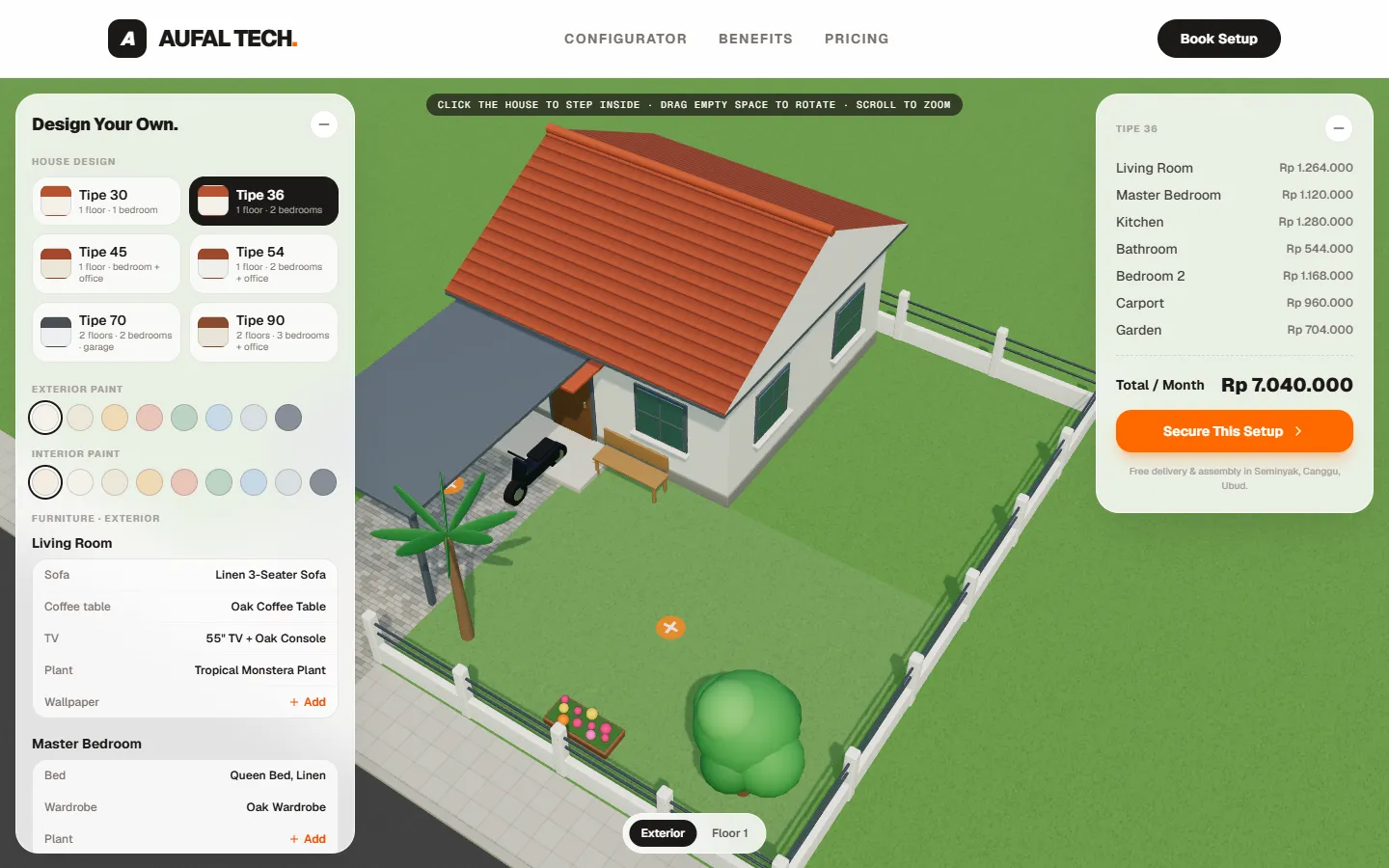
This is the deployed application running inside a frame. The catalogue and prices are sample data defined in the front end, and the booking step is not connected to a backend.
What to try
Pick a house type
Choose one of the six types in the left panel, then drag empty space to rotate and scroll to zoom.
Step inside
Click the house or the “Floor 1” button to see the rooms. Click a piece of furniture to swap it, or drag it to move it.
Check the summary
The right panel lists the cost of each room and the total per month, which follow every change.
About Workspace Designer
A 3D house designer in the browser for choosing a house type, furnishing each room with rented furniture and seeing the monthly cost.
A furniture rental price list makes customers do arithmetic and imagine the result. They cannot see how the furniture looks inside a house, and every change means recalculating a monthly total by hand.
What it does
- Six house types. From the single-storey Tipe 30 to the two-storey Tipe 90, each with a carport or garage, a garden and a fence.
- Exterior and per-floor views. Click the house to step inside. In a floor view the walls facing the camera disappear so the rooms are visible, and every room is labelled.
- Swap, drag and rotate furniture. Click a piece of furniture or an empty marker to choose a product, then drag it in the 3D view to move it. Furniture stays inside its room.
- Paint and wallpaper. Exterior and interior paint colours can be changed, and each room can take a patterned wallpaper.
- Monthly total per room. The price is recalculated on every change and shown per room together with the total per month.
- Saved design. The chosen house type, furniture, positions and paint are stored in the browser, so they are still there after a reload.
Have a problem software could solve?
Describe it in a few sentences on WhatsApp. You get a direct reply about scope, platform and a sensible first version.
Request a Project