Web · Live
Workspace Designer
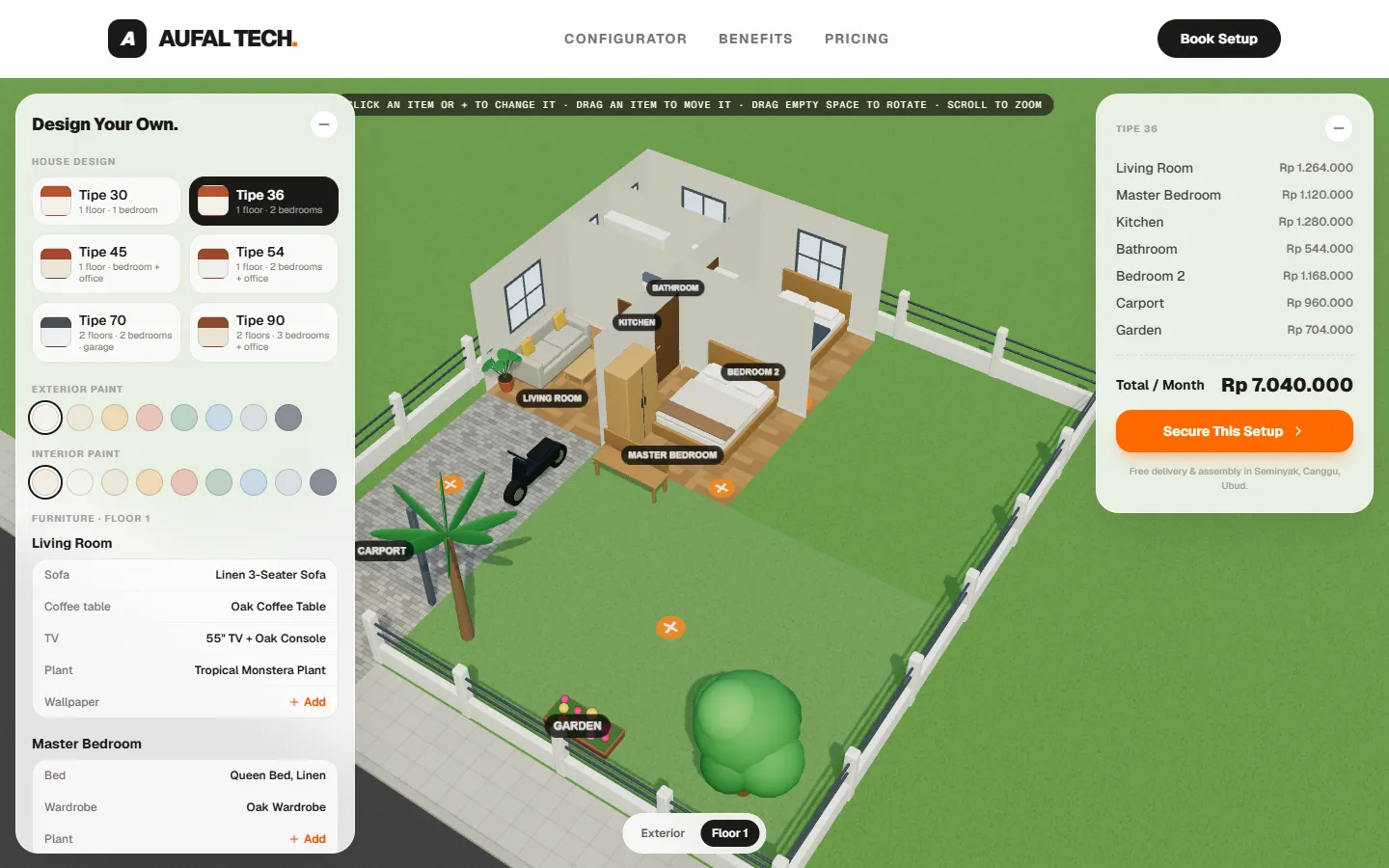
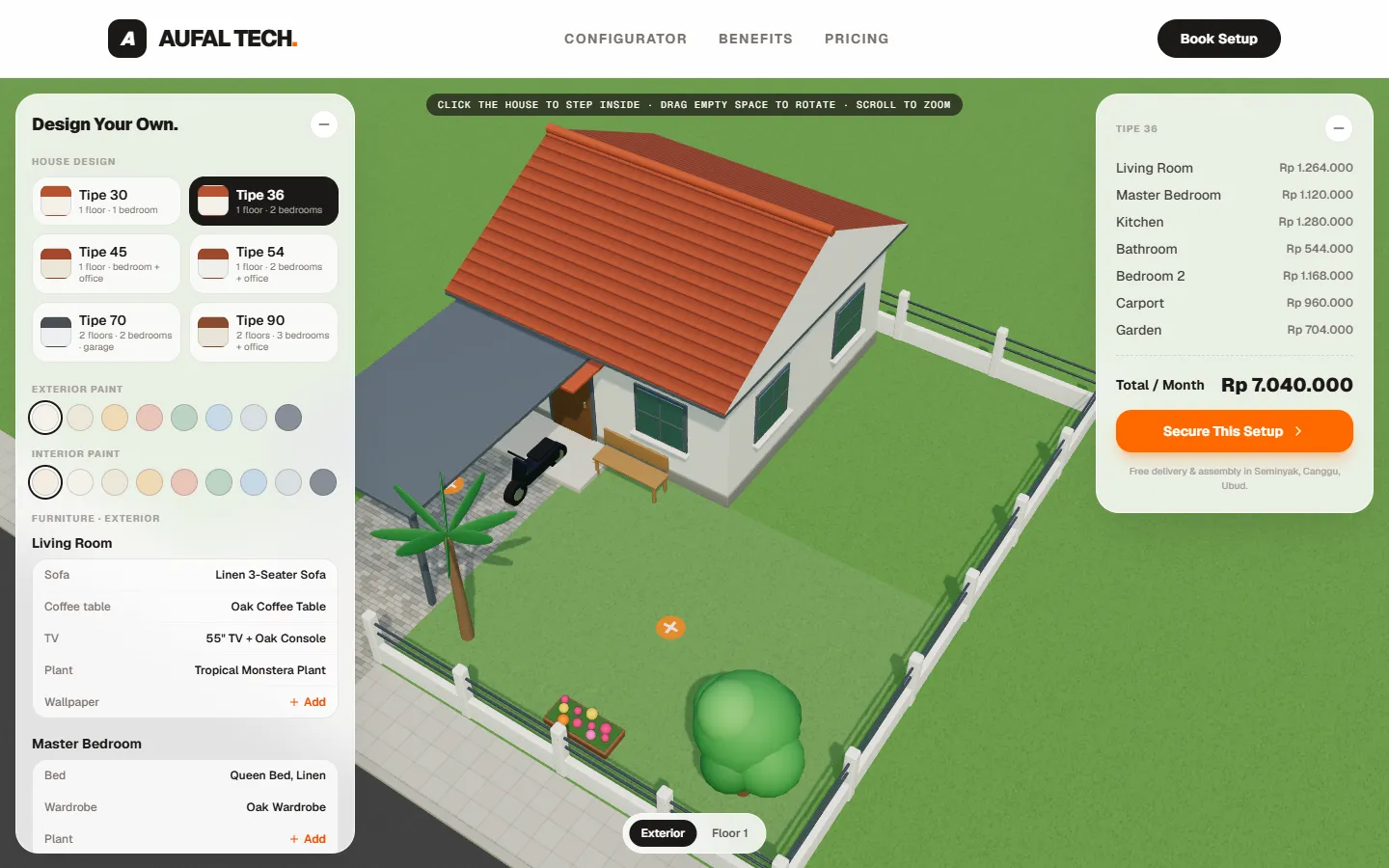
A 3D house designer in the browser for choosing a house type, furnishing each room with rented furniture and seeing the monthly cost.
Why it matters
What makes it stand out.
Customers see their house in 3D
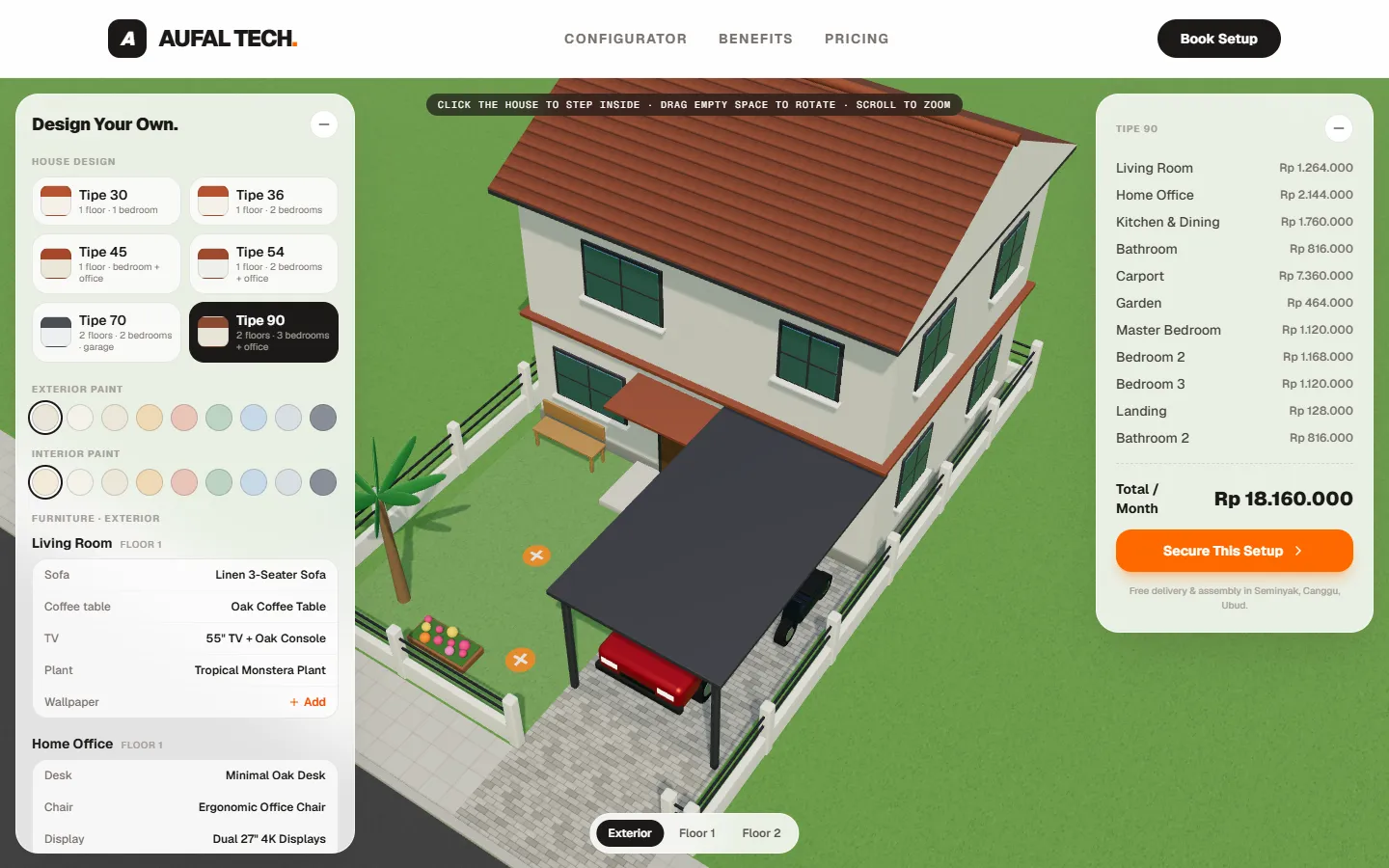
The house can be rotated, zoomed and entered floor by floor, so customers know what they are getting before they make contact.
Transparent pricing from the start
The monthly total changes with every choice and is broken down by room. No manual arithmetic and no surprise at the end.
Customers arrange it themselves
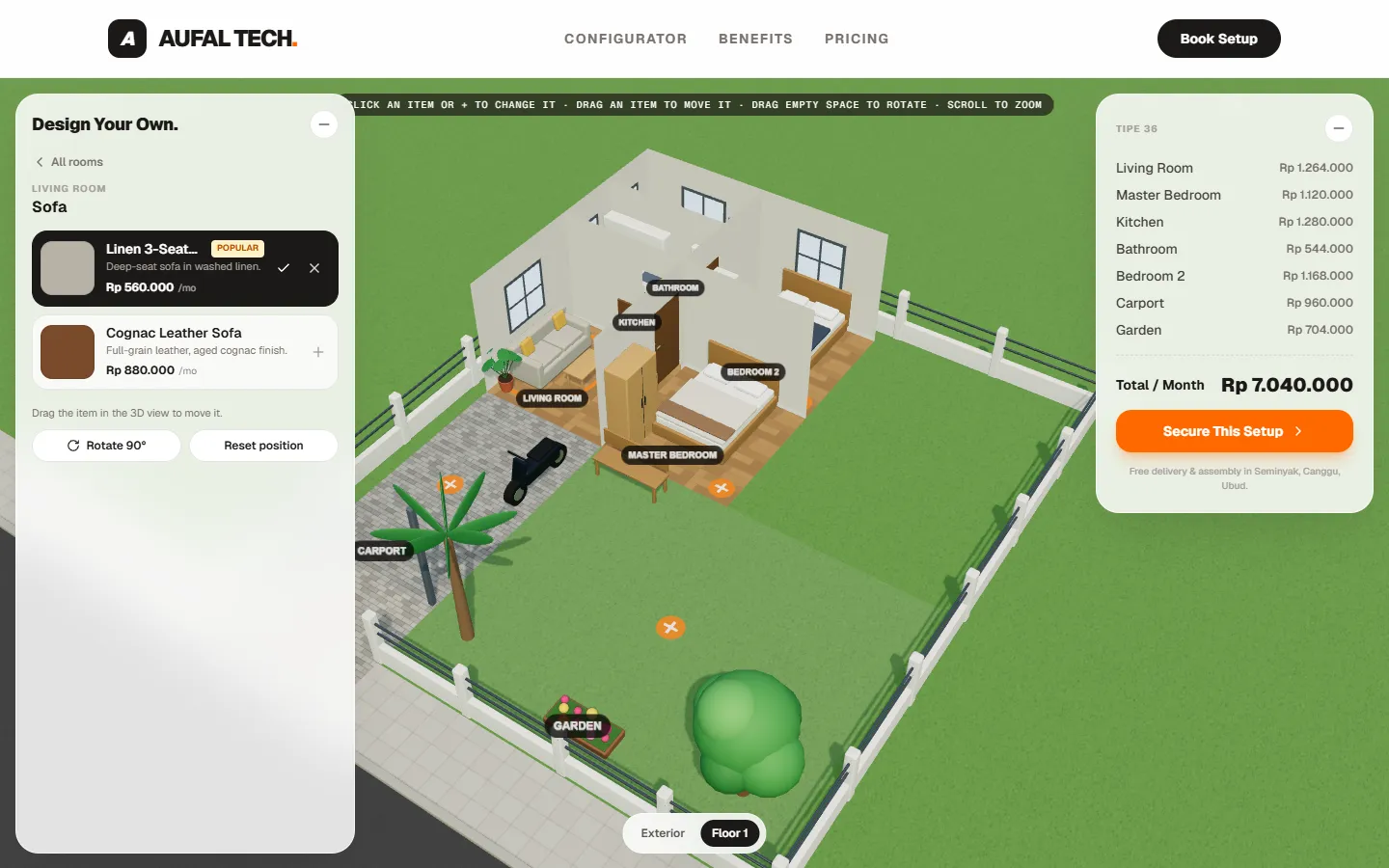
Furniture can be swapped, dragged and rotated directly in the 3D view, and the design is saved in the browser for the next visit.
Try it right now
The application is live and can be used on the demo page without signing up.
The problem
A furniture rental price list makes customers do arithmetic and imagine the result. They cannot see how the furniture looks inside a house, and every change means recalculating a monthly total by hand.
Who it is for
Residents who want to furnish a rented house without buying furniture, and rental businesses that want customers to assemble an order themselves before making contact.
Key features
Six house types
From the single-storey Tipe 30 to the two-storey Tipe 90, each with a carport or garage, a garden and a fence.
Exterior and per-floor views
Click the house to step inside. In a floor view the walls facing the camera disappear so the rooms are visible, and every room is labelled.
Swap, drag and rotate furniture
Click a piece of furniture or an empty marker to choose a product, then drag it in the 3D view to move it. Furniture stays inside its room.
Paint and wallpaper
Exterior and interior paint colours can be changed, and each room can take a patterned wallpaper.
Monthly total per room
The price is recalculated on every change and shown per room together with the total per month.
Saved design
The chosen house type, furniture, positions and paint are stored in the browser, so they are still there after a reload.
The same approach can be adapted for
- 3D configurators for property, interiors or furniture
- Interactive price calculators for rental packages or services
- Product catalogues with a visual preview before ordering
Architecture
Workspace Designer is a front-end application on the Next.js App Router. There is no server-side data layer in the repository: house types, room templates and the product catalogue are typed data, and the designer is a client component tree.
Three components do the work:
- WorkspaceConfigurator owns the design state, calculates prices and saves the design to the browser.
- ProductSelector renders the product choices for the selected slot.
- WorkspacePreview draws the house, rooms and furniture in 3D with React Three Fiber.
State lives in one place and flows down, so the 3D view, the furniture list and the price summary cannot disagree.
Implementation details
Slots, not free coordinates. Each room type has a slot template, such as a sofa, coffee table and TV for a living room. Slot positions are written relative to the room size, so the same template fits a room of any size. A slot can also depend on another: a monitor only appears when its desk exists.
Models and textures are written in code. Furniture is assembled from basic Three.js shapes as React components, and wood, tile, grass and roof textures are drawn to a canvas at runtime. There are no 3D model files to download.
3D loads late. The Three.js view is loaded dynamically on the client, separate from the initial page bundle.
Dragging with limits. While a piece of furniture is dragged, its temporary position is kept locally and only sent to the main state on release, with the furniture’s origin kept inside its room.
What is not done yet
The catalogue is static and the “Secure This Setup” button opens a confirmation view without submitting an order. Connecting it to inventory and a booking backend is the next stage of the project.
What can be verified
- Deployed and publicly reachable on Vercel.
- The full application can be embedded and used directly on the demo page.
Screenshots