Desktop · In active development
AI Developer Engineer
A development team made of AI agents that you run from WhatsApp, from work plan to pull request.
Why it matters
What makes it stand out.
Delegate work from your phone
Send a WhatsApp message. The agent opens the repository, makes the change and reports back without you opening a laptop.
You stay in control
The agent always proposes a plan and waits for approval before working. The last change can be undone without deleting history.
Does not stop when an AI quota runs out
The system switches to the next AI provider automatically and continues the same task, and it can run on providers that offer a free tier.
Quality is checked automatically
Tests and lint run before a commit, and changes land through pull requests according to each project’s policy.
The problem
Small repository jobs such as adding an endpoint, fixing a bug or updating dependencies still require a developer to open a laptop. Existing coding assistants are usually tied to an editor and a single AI provider, so they stop when the quota runs out.
Who it is for
Developers and small teams who want to delegate coding tasks from a phone, while keeping control over what gets done and when changes are merged.
Key features
Driven from WhatsApp
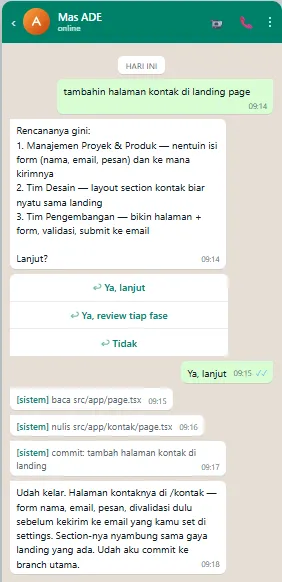
Send an instruction in plain language. The agent clones or updates the repository, makes the change and replies with a summary of the result.
Plan first, execute second
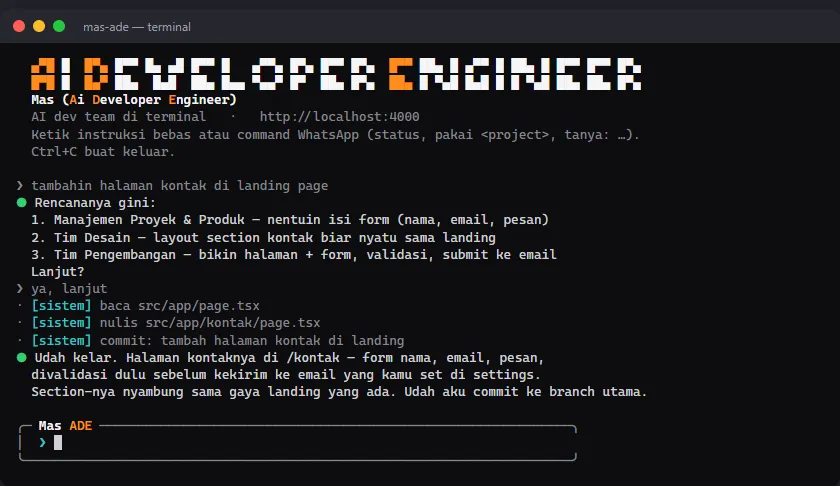
The agent answers with a work plan per department and only starts after you confirm with a native WhatsApp button.
Roles like a team
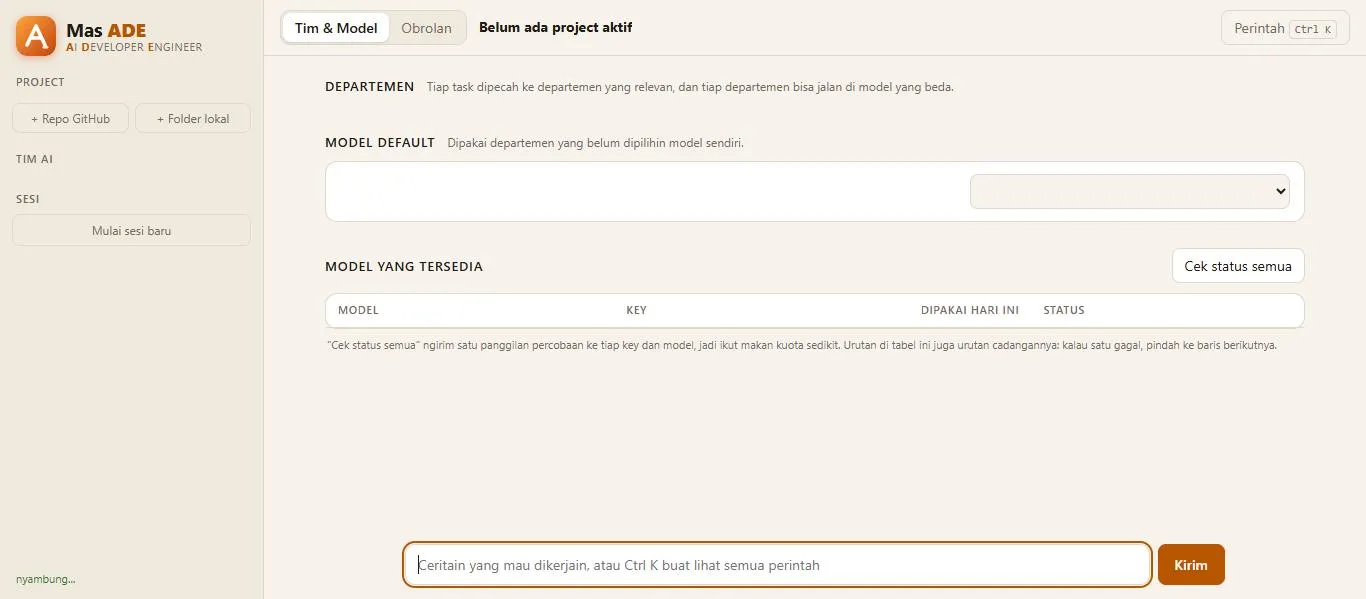
Work is split across departments such as management, development, design, QA and infrastructure, and each can use a different AI model.
Automatic provider fallback
Several providers are tried in order. If one fails or hits a rate limit, the session continues on the next without restarting the task.
Test and lint gate
Test and lint commands run before a commit. If they fail, the commit is cancelled.
Full GitHub workflow
Opens a pull request or merges directly depending on each project’s policy, reviews PRs, works on issues, watches CI and reverts the last change.
Three ways in
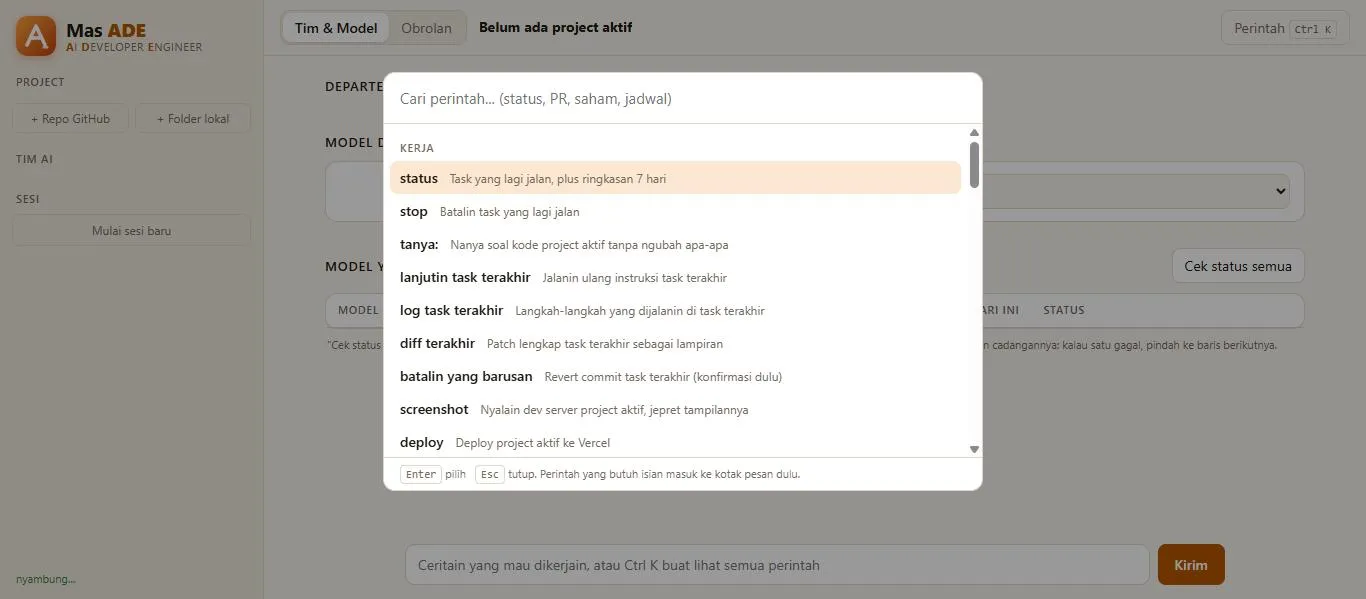
WhatsApp for everyday use, a CLI for the terminal and a desktop chat window. All three drive the same agent.
The same approach can be adapted for
- An internal engineering assistant over chat
- Automating routine repository work such as dependency updates
- A WhatsApp bot that runs workflows with approval
Architecture
The system is two separate Node processes. The WhatsApp gateway receives webhooks from Meta, verifies their signature and sends replies. The orchestrator keeps the project registry, routes commands, runs an agent session for each task, writes an audit log and reports progress to the user.
They talk over internal HTTP with a shared secret. Only the gateway has a public endpoint. The CLI and the Electron desktop window connect to the same orchestrator, so they behave exactly like the WhatsApp path.
Each registered repository is cloned into its own working folder on the server.
Implementation details
A custom agent loop. The core is a tool-calling loop with four tools: run a shell command, read a file, write a file and edit a file. Each AI provider has an adapter, so adding a provider does not change the loop.
Defence in depth. The list of allowed senders is checked in the gateway and checked again in the orchestrator. A message from any other number never reaches the agent.
Deterministic commands first. Commands such as listing projects, checking status or switching models are handled without AI. Only free-form conversation and coding tasks are passed to a model.
Confirmation for risky actions. Running a plan, posting a review to a PR, merging and undoing a commit all ask for approval first. Undo uses a revert, so history is never deleted.
Merge policy per project. Each project chooses between opening a pull request and committing straight to the main branch.
More than text. The agent accepts images to review and voice notes, can send a patch as an attachment, and can run scheduled tasks such as updating dependencies every week.
What can be verified
- The tool-calling loop is written from scratch, without a third-party agent SDK.
- Designed to run around the clock on a server with Docker Compose.
- The source code is private and the system is in active development.
Screenshots